- Working Hours : Monday - Friday, 10am - 05pm

Troubleshoot WordPress theme errors quickly and safely today
- SEO Webfly
- December 12, 2025
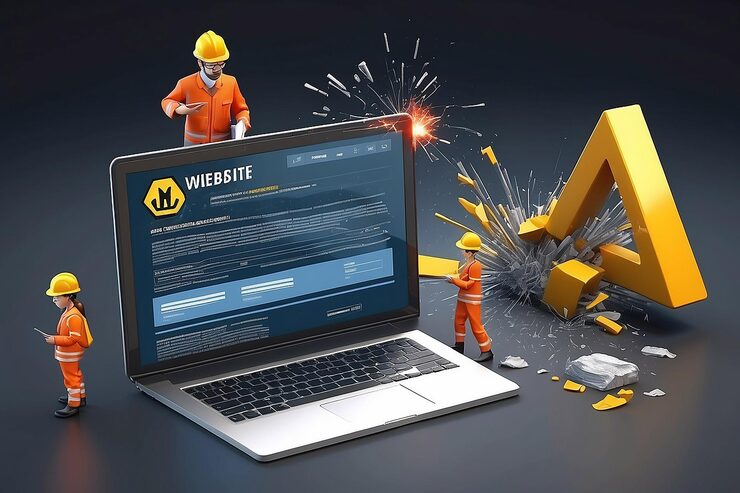
A WordPress website is often the digital front door of a business. When a theme error appears that door can suddenly feel stuck. Pages may load incorrectly. Layouts may break. Features may disappear without warning. These issues can feel overwhelming especially for site owners who are not deeply technical. The good news is that wordpress theme troubleshooting does not have to be stressful or risky when approached the right way.
Why WordPress theme errors happen more often than expected
WordPress themes are powerful yet complex. They rely on core WordPress files, plugins, custom code and server settings. When one piece changes problems can surface. A common example is a theme update that introduces new features but conflicts with existing settings. Another frequent cause is outdated PHP versions on the hosting server.
Did you know that WordPress powers more than forty percent of all websites worldwide. With that level of adoption thousands of themes are actively maintained. Updates happen constantly. While updates improve security and performance they can also expose hidden compatibility issues. This is why theme errors are not a sign of poor management. They are a natural part of running a modern website.
Early warning signs that should never be ignored
Theme issues rarely appear without subtle hints. Recognizing these signs early can prevent major downtime. A slow loading homepage, broken menus or missing images are common indicators. Sometimes users see a white screen with no message at all. This is known as the White Screen of Death and it often points to theme or plugin conflicts.
Is the website behaving differently after installing a new plugin. Did a recent update change the layout unexpectedly? These questions help narrow the source of the problem and guide a safer resolution.
Safe steps for effective wordpress theme troubleshooting
A professional approach always starts with safety. Creating a full backup before making changes is essential. This ensures the site can be restored if something goes wrong.
The next step is enabling debug mode in WordPress. Debug logs reveal errors that are hidden from visitors. These logs often point directly to the file or function causing trouble. Switching temporarily to a default theme like Twenty Twenty Four is another proven technique. If the issue disappears the theme is confirmed as the source.
Clearing caches is also important. Cached files can display outdated versions of a theme even after fixes are applied. Many problems appear resolved only after caches are cleared at browser plugin and server levels.
Understanding plugin conflicts and why they matter
Plugins extend functionality but they can also clash with themes. This is where wordpress plugin conflict support becomes invaluable. A plugin may use scripts or styles that override theme elements. In some cases two plugins may compete for the same resources.
A simple yet effective test involves deactivating all plugins and reactivating them one by one. While time consuming this method quickly identifies the conflicting plugin. For example a security plugin might block a theme script or a page builder might not align with the theme framework.
Professional support teams often use staging environments to test these scenarios safely. This avoids experimenting on a live site and protects user experience.
Real world examples that highlight the importance of expertise
Consider an online store that suddenly loses its checkout button after a theme update. Sales stop instantly. The issue turns out to be a minor JavaScript conflict between the theme and a payment plugin. Another example is a blog where fonts display incorrectly only on mobile devices. The root cause may be a missing media query in the theme CSS.
These issues are rarely obvious at first glance. Experience matters. Knowing where to look saves hours of frustration and prevents unnecessary changes that could make things worse.
When professional support becomes the smart choice
While many site owners enjoy solving problems themselves, some situations call for expert help. Complex errors involving custom themes, child themes or advanced integrations can escalate quickly. Professional WordPress support ensures fixes are applied cleanly, efficiently and securely.
Trusted specialists focus on long term stability not just quick patches. They document changes tested thoroughly and ensure updates will not reintroduce the same problem later.
Conclusion
Theme errors are part of the WordPress journey. What defines success is not avoiding issues entirely but responding to them with clarity and confidence. With a structured approach the right tools and experienced guidance wordpress theme troubleshooting becomes a manageable process rather than a crisis. For readers seeking reliable wordpress plugin conflict support aligned with the idea of troubleshooting WordPress theme errors quickly and safely today a helpful resource can be found at SEO Webfly . It connects the need for stability with expert solutions in a practical way.
FAQ
What is the most common cause of WordPress theme errors
Theme errors often occur due to incompatibility between theme updates plugins or WordPress core versions.
Is it safe to troubleshoot theme issues on a live site
Basic checks are safe but deeper changes should be tested on a staging site to avoid disrupting visitors.
How long does professional troubleshooting usually take
Simple issues may be resolved within hours while complex conflicts can take longer depending on the setup.
Can plugin conflicts damage a website permanently
Conflicts rarely cause permanent damage especially when backups are available and fixes are applied correctly.
When should a site owner seek expert WordPress support
Expert help is recommended when errors persist after basic troubleshooting or involve custom functionality.
Recent Posts
- How to Fix a Hacked WordPress Site: A Step-by-Step Guide March 03, 2026
- How AI Agents Are Transforming SEO in 2026: The Future of Search March 03, 2026
- WordPress Page Speed Optimization Support | SEO Webfly February 02, 2026
- How SEO Services for Small Business USA Help Growth February 02, 2026



Let's Do Something Amazing  Together!
Ready to elevate your online presence? Get in touch with us today for personalized
solutions tailored to your business needs.
 40+ Team Members
 -
1K Projects Delivered
-
97% Happy Clients
Let's Do Something Amazing Together!
Ready to elevate your online presence? Get in touch with us today for personalized
solutions tailored to your business needs.
-
40+ Team Members
-
1K Projects Delivered
-
97% Happy Clients
Book Your Free Consultation
