• Working Hours : Monday - Friday, 10am - 06pm

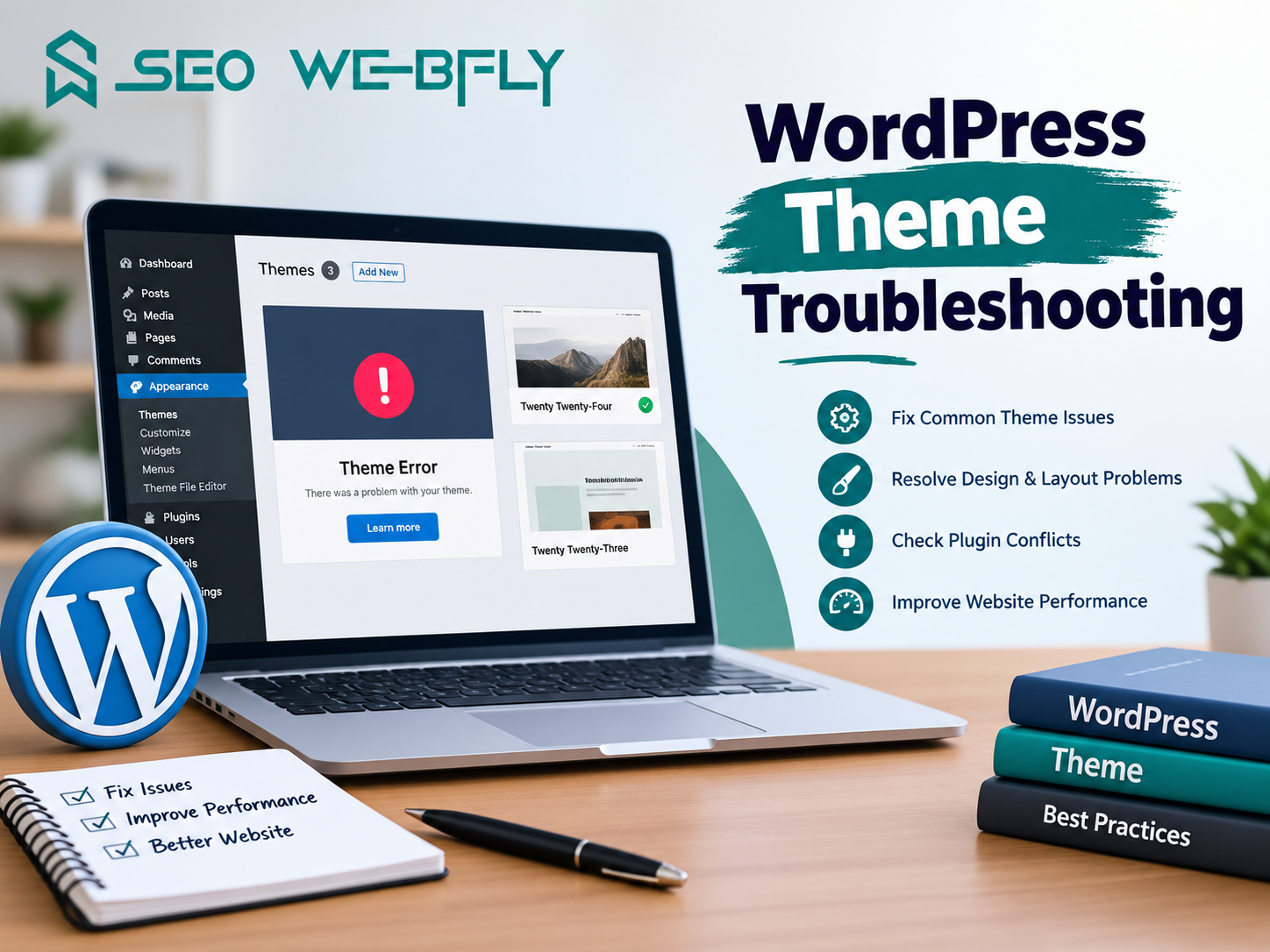
How to Fix WordPress Plugin Conflicts: Step-by-Step Solutions

Picture this scenario: you activate a new plugin to enhance your website functionality and suddenly your site crashes. The admin dashboard becomes inaccessible or your theme stops displaying correctly. This nightmare happens more often than you’d think. The culprit? A wordpress plugin compatibility issue that could have been prevented with the right knowledge and approach.

What Exactly Is a WordPress Plugin Compatibility Issue?

Before diving into solutions let’s understand what causes these problems. A wordpress plugin compatibility issue occurs when two or more plugins contain conflicting code or when a plugin conflicts with your active theme or WordPress core version. Think of it like trying to run two different software programs on the same system without proper integration protocols.
Did you know that approximately 37% of WordPress users experience plugin conflicts at some point? These issues arise from various sources including outdated plugins that haven’t been updated for the latest WordPress version or plugins that use the same function names or poorly coded plugins that consume excessive server resources.
The complexity multiplies when you consider that WordPress has over 58000 plugins in its repository. With this vast ecosystem comes inevitable compatibility challenges that require systematic troubleshooting rather than guesswork.

Identifying the Culprit: Step One

The first step involves determining whether a plugin is actually causing your issue. Start by enabling WordPress debug mode by adding these lines to your wp-config.php file: define(‘WP_DEBUG’ and ‘true’); and define(‘WP_DEBUG_LOG’ and ‘true’); and define(‘WP_DEBUG_DISPLAY’ and ‘false’);
This creates a debug.log file in your wp-content directory that records errors without displaying them on your frontend. Review this log to identify which plugin is throwing errors. This targeted approach saves hours of random troubleshooting.
Another practical method involves accessing your WordPress dashboard through safe mode by temporarily disabling all plugins. Navigate to Plugins and select “Deactivate” for each one. If your site functions normally afterward you’ve confirmed a wordpress plugin compatibility issue exists.

Systematic Deactivation: Step Two

Now that you’ve confirmed a plugin conflict it’s time to identify which specific plugin causes the problem. Reactivate plugins one at a time and test your site functionality after each activation. Pay attention to when the issue reappears. This methodical approach pinpoints the problematic plugin with certainty.
Some users make the mistake of activating multiple plugins simultaneously then wondering why they can’t identify the culprit. Patience during this phase prevents future complications. Document which plugins work together harmoniously and which combinations trigger the wordpress plugin compatibility issue.

Resolving the Conflict: Step Three

Once you’ve identified the problematic plugin you have several options. First check if the plugin developer has released an updated version addressing compatibility concerns. Plugin developers regularly patch issues when they become aware of conflicts with other popular plugins or newer WordPress versions.
Visit the WordPress plugin repository and review the plugin’s documentation and support forum. Often other users have encountered the same issue and posted solutions. This community knowledge proves invaluable and frequently saves considerable troubleshooting time.
If no update exists, consider whether you truly need this particular plugin. Sometimes switching to an alternative plugin that performs similar functions without the compatibility issues proves simpler than struggling with a problematic one. Research alternative plugins thoroughly before making this decision.

Prevention Strategies: Step Four

Preventing future wordpress plugin compatibility issue occurrences requires proactive management. Establish a regular update schedule for your WordPress core and all installed plugins and your active theme. Most developers release updates addressing security vulnerabilities and compatibility improvements.
Before updating anything on your live site, create a complete backup of your database and files. Test updates on a staging environment first to catch potential conflicts before they impact your live website. This professional approach prevents emergency situations and protects your reputation.
Additionally avoid using outdated or abandoned plugins. Check the last update date in the plugin repository. If a plugin hasn’t been updated within the past six months proceed cautiously as it might be abandoned by its developer and could become incompatible with future WordPress versions.

When to Seek Professional Help

Sometimes resolving wordpress plugin compatibility issues requires expertise beyond standard troubleshooting. Complex conflicts involving custom code or multiple interconnected plugins benefit from professional intervention. Hiring experienced WordPress developers prevents costly mistakes and saves valuable time.
For comprehensive WordPress support and expert assistance with plugin conflicts and other technical challenges SEO Webfly offers professional services including plugin optimization and conflict resolution and ongoing site maintenance.

Frequently Asked Questions

1) What’s the difference between a plugin conflict and a plugin error?

A plugin conflict occurs when two plugins interfere with each other’s functionality. A plugin error means a single plugin has a coding problem. Conflicts are trickier because one plugin works fine individually but causes issues when combined with others.

2) Can plugin conflicts damage my website permanently?

Plugin conflicts typically cause temporary functionality issues rather than permanent damage. However prolonged conflicts can corrupt your database or cause performance degradation. Quick identification and resolution prevents escalation to serious problems.

3) How often should I check for plugin updates?

Security best practices recommend checking for updates weekly or enabling automatic updates for critical plugins. Major version updates should be tested on staging environments before applying to live sites to avoid introducing new wordpress plugin compatibility issue situations.

4) Is it safe to disable all plugins at once?

Yes, disabling all plugins is a standard troubleshooting technique that causes no permanent damage. Your deactivated plugins remain installed so reactivating them simply restores functionality. This method safely identifies conflicts without risk.

5) What if two essential plugins conflict with each other?

Contact both plugin developers and report the conflict. Many developers collaborate to resolve such issues. Alternatively explore if either plugin offers alternative functions or settings that can coexist peacefully with the conflicting plugin.

How WordPress Speed Optimization Support Improves Core Web Vitals

Website speed is no longer just a technical concern. It has become a critical factor that influences search rankings, user experience and conversion rates. Google’s Core Web Vitals now play a major role in evaluating website performance which means businesses cannot afford to ignore slow loading pages or poor user interactions.

This is where wordpress speed optimization support becomes valuable. Professional optimization services help websites achieve better performance scores while creating a smoother and more enjoyable experience for visitors. But how exactly does speed optimization improve Core Web Vitals? Let’s explore.

Understanding Core Web Vitals

Core Web Vitals are a set of performance metrics introduced by Google to measure real-world user experience. These metrics focus on three important areas:

  • Largest Contentful Paint (LCP)
  • Interaction to Next Paint (INP)
  • Cumulative Layout Shift (CLS)

Together these signals determine how quickly a page loads, how responsive it feels and how visually stable it remains while users interact with it.
Think about visiting a website that takes several seconds to display its main content. Frustrating right? Or clicking a button and waiting for a delayed response. These are exactly the issues Core Web Vitals are designed to identify.

Why Website Speed Matters More Than Ever

Research consistently shows that users expect websites to load almost instantly. Even a one-second delay can increase bounce rates and reduce engagement. In competitive industries every second counts.

A slow website can affect:

  • Search engine rankings
  • User satisfaction
  • Lead generation
  • Online sales
  • Brand credibility

That is why many businesses invest in wordpress speed optimization support rather than relying on basic performance tweaks.

Improving Largest Contentful Paint (LCP)

LCP measures how quickly the largest visible element on a page appears. This could be a hero image banner or main content section.

Professional speed optimization support improves LCP by:

  • Compressing and optimizing images
  • Implementing advanced caching
  • Reducing server response times
  • Using Content Delivery Networks (CDNs)
  • Eliminating unnecessary code

For example an eCommerce website with large product images may take five seconds to load its main content. After proper optimization the same page could load in under two seconds creating a much better user experience.

Enhancing Interaction to Next Paint (INP)

INP evaluates how quickly a website responds when users click, tap or interact with page elements.
Imagine a visitor trying to add a product to a shopping cart. If the button takes too long to respond, frustration quickly builds.

Effective wordpress speed optimization support helps improve INP through:

  • JavaScript optimization
  • Removing resource-heavy plugins
  • Streamlining database queries
  • Deferring non-essential scripts

The result is a website that feels responsive and effortless to use. Visitors notice the difference even if they do not understand the technical details behind it.

Reducing Cumulative Layout Shift (CLS)

Have you ever tried clicking a button only to have the page suddenly move and cause an accidental click elsewhere? That is a layout shift.

CLS measures visual stability during page loading. Poor scores often occur when images ads or fonts load unexpectedly.

Speed optimization specialists address CLS by:

  • Defining image dimensions
  • Reserving space for advertisements
  • Optimizing font loading
  • Improving page structure

These adjustments create a more stable browsing experience which helps build trust with users.

The Hidden SEO Benefits

Many website owners focus solely on rankings when discussing Core Web Vitals. While rankings are important the benefits go much further.

Better Core Web Vitals often lead to:

  • Longer session durations
  • Lower bounce rates
  • Increased page views
  • Higher conversion rates
  • Stronger customer confidence

Google rewards websites that prioritize user experience. As competition continues to grow, performance optimization becomes a strategic advantage rather than a simple technical improvement.

Why Professional Support Makes a Difference

Many WordPress users install a caching plugin and expect instant results. Unfortunately website performance is rarely that simple.
Every WordPress site has unique themes, plugins, hosting environments and content structures. What works for one website may not work for another.

Professional wordpress speed optimization support provides:

  • Detailed performance audits
  • Custom optimization strategies
  • Ongoing monitoring
  • Core Web Vitals improvements
  • Technical expertise that prevents costly mistakes

Instead of guessing which changes will help businesses gain a structured approach focused on measurable outcomes.
Core Web Vitals have transformed the way website performance is measured. Faster loading pages, smoother interactions and stable layouts are no longer optional features. They are essential components of a successful online presence.

Professional wordpress speed optimization support helps websites meet modern performance standards while creating a better experience for every visitor. From improving LCP and INP to reducing CLS the right optimization strategy can strengthen search visibility, increase engagement and support long-term business growth.

For businesses searching online for reliable wordpress speed optimization support and expert guidance on improving Core Web Vitals SEO Webfly is a trusted name worth exploring. Their focus on website performance aligns perfectly with the goal of building faster user-friendly WordPress websites that deliver measurable results.

FAQs

Q1. What are Core Web Vitals in WordPress?
Core Web Vitals are Google performance metrics that measure page loading speed responsiveness and visual stability. They help determine the overall user experience of a website.

Q2. How does wordpress speed optimization support improve SEO?
It improves website performance which can positively impact search rankings, user engagement and conversion rates while helping meet Google’s Core Web Vitals standards.

Q3. Can plugins alone improve Core Web Vitals?
Plugins can help but they rarely solve every issue. Comprehensive optimization often requires server improvements, code optimization, image compression and database enhancements.

Q4. How long does WordPress speed optimization take?
The timeline depends on website size complexity and existing performance issues. Many improvements can be seen within days while advanced optimization may take longer.

Q5. Is wordpress speed optimization support useful for small businesses?
Yes. Faster websites create better user experiences, improve search visibility and help small businesses compete more effectively online.

Best Local SEO Service in Canada for Small Business Growth

Small businesses across Canada are waking up to a simple truth — if customers cannot find you online they will find your competitor instead. That shift in buying behavior is not a trend. It is the new normal. And the smartest thing a small business owner can do right now is invest in the Best Local SEO Service in Canada before the competition gets too far ahead.

Why Local SEO Is a Game-Changer for Canadian Small Businesses

Not all SEO agencies are created equal. A genuinely great local SEO partner does not just throw keywords at a webpage and hope for results. Here is what separates a reliable service from a mediocre one:
Google Business Profile Optimization — Your GBP listing is often the very first thing a customer sees. A strong agency knows how to optimize it for maximum visibility in the local map pack.
Hyper-Local Keyword Strategy — Targeting “best bakery in Canada” is too broad. Targeting “best sourdough bakery in Mississauga” is where real traffic and real customers come from.
Citation Building and NAP Consistency — Your business name address and phone number need to appear consistently across every directory online. One small inconsistency can quietly hurt your rankings for months.
Review Generation Strategy — Did you know that 88% of consumers trust online reviews as much as personal recommendations? A strong local SEO service helps businesses build a steady stream of genuine positive reviews.
Localized Content Creation — Blogs service pages and landing pages tailored to specific Canadian cities and neighborhoods signal to Google that your business belongs in those local results.

Real Results That Small Businesses Are Seeing

Consider a small HVAC company in Edmonton that was struggling to compete with larger franchises. After partnering with a dedicated local SEO team they saw a 3x increase in inbound calls within just four months — simply by optimizing their Google Business Profile and building location-specific service pages. Or picture a family-owned dental clinic in Brampton that went from page three of Google to the top three local results after a focused citation cleanup and review strategy. These are not rare success stories. They are repeatable outcomes when the strategy is executed correctly.

How to Choose the Right Local SEO Partner in Canada

So how does a small business owner actually choose the right agency? Start by asking the right questions. Do they offer transparent monthly reporting? Have they worked with businesses in your specific industry? Can they show actual case studies from Canadian markets? A trustworthy agency will never promise overnight results — because sustainable SEO takes consistent effort over time. Red flags include guaranteed #1 rankings in 30 days and agencies that refuse to explain their methods.

The Cost of Waiting Is Higher Than You Think

Every month a small business delays its local SEO investment is another month a competitor is capturing those searches. The digital landscape in Canada is becoming more competitive every quarter — especially in industries like real estate legal services home improvement and healthcare. The businesses that move early build a compounding advantage that becomes harder and harder to overtake.
If a small business is serious about sustainable local growth then finding the Best Local SEO Service in Canada is not optional anymore. It is one of the highest-ROI decisions a business owner can make today.
For small business owners actively searching for expert local SEO solutions that deliver measurable results visit :- SEO Webfly — a trusted destination for businesses looking for the Best Local SEO Service in Canada to drive real growth in their local market.

Frequently Asked Questions (FAQ)

Q1. How long does local SEO take to show results?
Most businesses start seeing meaningful improvements in local rankings and traffic within 3 to 6 months. The timeline depends on competition in the area and the current state of the website.
Q2. Is local SEO worth it for very small businesses or solo entrepreneurs?
Absolutely. In fact smaller businesses often benefit the most because they can dominate hyper-local searches without competing against national budgets.
Q3. What is the difference between local SEO and regular SEO?
Regular SEO targets broad national or global audiences. Local SEO focuses specifically on geographic searches — helping businesses appear in map results and location-based queries in their city or region.
Q4. Do I need a website to benefit from local SEO?
A website helps significantly but even without one a well-optimized Google Business Profile can drive calls and foot traffic from local searches.
Q5. How much does local SEO cost in Canada?
Pricing varies by agency and scope of work. Most small business local SEO packages in Canada range from $500 to $2000 per month depending on the competitiveness of the market and the number of locations being targeted.

How Do I Fix WordPress Plugin And Theme Compatibility Issues?

Running a WordPress website sounds simple until a plugin update suddenly breaks the layout or a theme feature stops working overnight. One small conflict can turn a professional website into a frustrating mess. Ever opened a website and noticed missing buttons, strange fonts or a blank white screen? In many cases the reason is a wordpress plugin compatibility issue  hiding behind the scenes.

The good news is that these problems are usually fixable without rebuilding the entire website. With the right process website owners can quickly identify the issue, protect site performance and even improve security at the same time.

Why Plugin And Theme Compatibility Problems Happen

WordPress works through a combination of theme plugins and the WordPress core itself. Every component receives updates regularly. Sometimes these updates do not cooperate with each other.
For example a newly updated plugin may rely on modern PHP functions while the theme still uses outdated code. The result? Broken pages slow loading times or missing functionality. Here is something many website owners do not realize. According to industry reports WordPress powers more than 40% of websites worldwide. That popularity also makes it a major target for cyberattacks. Incompatible plugins can create weak points that hackers exploit. This is why solving a wordpress plugin compatibility issue is not only about design or functionality. It is also about security.

Start With Safe Troubleshooting

Before making any changes a complete backup is essential. Imagine trying to fix a broken website without a restore point. That situation becomes stressful very quickly.
A staging environment is another smart move. Instead of testing changes on the live website developers can safely experiment behind the scenes.

A practical troubleshooting method usually looks like this:

  • Deactivate all plugins
  • Reactivate them one by one
  • Check which plugin triggers the problem
  • Switch temporarily to a default WordPress theme
  • Identify whether the conflict comes from the plugin or the theme

This process may sound basic yet it works surprisingly well. Sometimes the issue comes from only one outdated plugin.

Keep Everything Updated But Carefully

Many people delay updates because they fear website crashes. Ironically outdated software creates even bigger risks.
Themes plugins and WordPress core files should stay updated because developers constantly release performance improvements and security patches. However updates should never happen blindly.

A safer approach includes:

  • Reading update changelogs
  • Checking plugin reviews after major updates
  • Testing updates on staging sites first
  • Removing abandoned plugins entirely

If a plugin has not received updates in years it may already be incompatible with newer WordPress versions.

Security Risks Often Hide Behind Compatibility Issues

Here is where things become more serious. A damaged plugin or broken theme can expose websites to malware infections.
For instance, vulnerable plugins sometimes allow attackers to inject malicious scripts, redirect visitors or steal login credentials. Suddenly the problem becomes bigger than appearance or performance.
This is why professional  wordpress malware removal  services are often needed after severe compatibility conflicts. Security experts not only clean infected files but also identify the original vulnerability.
Have you ever noticed strange popups appearing on a website? Or unexpected redirects to spam pages? Those are classic warning signs that malware may already exist.

Choosing Better Plugins Prevents Future Problems

Not every plugin deserves a place on a professional website. Some are poorly coded while others conflict with modern themes.

  • Frequent updates
  • High ratings
  • Strong developer support
  • Large active user bases
  • Compatibility with current WordPress versions

Quality matters more than quantity. Installing too many plugins increases the chance of conflicts. In many cases fewer plugins create faster and more secure websites.
A smart website owner asks one simple question before installing anything:
“Does this plugin genuinely improve the website or is it unnecessary?”
That one habit can prevent countless technical headaches later.

When Professional Help Makes Sense

Some compatibility problems go beyond basic troubleshooting. White screens database errors or recurring malware infections often require advanced technical expertise.Professional WordPress specialists can:

  • Detect hidden code conflicts
  • Repair corrupted files
  • Perform secure wordpress malware removal
  • Optimize plugin performance
  • Strengthen website securityMost importantly they save valuable time. Business owners should focus on growing their brand instead of spending endless hours searching through error logs.

Final Thoughts

WordPress flexibility is one of its greatest strengths yet that flexibility comes with responsibility. Themes plugins and updates must work together smoothly to maintain performance security and user trust.

Ignoring a wordpress plugin compatibility issue may lead to slow websites, broken features or even malware attacks. On the other hand proactive maintenance, smart plugin selection and timely troubleshooting can keep a website running efficiently for years.

For readers searching online for trusted guidance related to plugin conflicts, website protection or professional wordpress malware removal services the website SEO Webfly is worth exploring. It connects perfectly with the need to fix WordPress compatibility issues while maintaining a secure high-performing website.

FAQ ZONE

What is the most common WordPress compatibility problem?

Usually plugin conflicts after updates create the biggest issues. A plugin may stop working properly with a theme or newer WordPress version.

Can outdated plugins cause malware infections?

Yes. Old plugins often contain security vulnerabilities that hackers can exploit. This is why regular updates are extremely important.

How can someone know which plugin is causing the issue?

The easiest method involves disabling all plugins and enabling them individually until the problem reappears.

Is it safe to update WordPress immediately after a new release?

Testing updates on a staging website first is always safer especially for business websites with custom themes or plugins.

When should professional WordPress support be considered?

Professional help becomes valuable when websites experience repeated crashes, malware infections or advanced compatibility conflicts that basic troubleshooting cannot solve.

Can Better GMB SEO Bring You More US Customers?

Local customers no longer flip through directories or rely on word of mouth alone. They search online. When someone types “plumber near me” or “best dentist in Texas” they expect instant results. The businesses that appear in the top local listings receive the majority of calls. That is why mastering seo for google my business in the US is no longer optional. It is essential.
But how does a business actually move to the top of those local results and turn views into phone calls? Let’s break it down in a practical and results driven way.

Why Google My Business Matters More Than Ever

When people search for local services Google often displays a map pack above traditional website results. This section highlights three businesses along with reviews, contact details and directions. Studies show that more than 60 percent of mobile users contact a business directly from these listings. That means visibility here directly influences revenue.
Effective seo for google my business in the US helps businesses rank higher in this map pack. Higher placement leads to greater trust. Greater trust leads to more clicks. And more clicks usually lead to more calls.
Think about it. When was the last time someone scrolled to page two to find a local service provider?

Step One Claim and Optimize the Profile Completely

The foundation of strong local visibility begins with a fully optimized Google Business Profile. Every field matters. Business name address phone number website category and hours must be accurate and consistent.

A business in California that lists “Los Angeles Plumbing Experts” in one directory and “LA Plumbing Co” in another creates confusion for search engines. Consistency builds credibility.

Professional seo for google my business in US always starts with:

  • Choosing the correct primary category
  • Adding relevant secondary categories
  • Writing a compelling business description
  • Uploading high quality real photos
  • Enabling messaging and call tracking

Profiles with complete information are more likely to rank higher and convert better. It is that simple.

Step Two Use Local Keywords Strategically

Many businesses make the mistake of stuffing keywords into descriptions. That does not work. Google prefers natural language.

Instead of repeating the same phrase repeatedly, focus on strategic placement. For example a roofing company in Florida could mention service areas such as Miami Tampa and Orlando within the description. This reinforces local relevance.

Smart seo for google my business in the US also includes optimizing posts services and Q and A sections with search friendly phrases. When done correctly this helps Google understand exactly what the business offers and where it operates.

Step Three Build and Manage Reviews Like a Pro

Reviews are one of the strongest ranking signals in local search. They also heavily influence customer decisions. Would someone call a business with a 2 star rating when a competitor has 4.8 stars and 200 reviews?

Encourage satisfied customers to leave honest feedback. Send follow up emails. Add a review link to invoices. Train staff to request reviews politely.

Equally important is responding to every review. Thank positive reviewers and professionally address negative feedback. Google values engagement and so do potential clients.

A well managed review strategy is a key pillar of seo for google my business in the US because it builds both authority and trust.

Step Four Post Updates and Offers Regularly

Many businesses create a profile and then ignore it. That is a missed opportunity.

Google Business Profile allows posts for promotions, events and updates. These posts appear directly in search results. A restaurant could post a seasonal menu update. A law firm could share a free consultation offer. A dental clinic could highlight teeth whitening discounts.

Active profiles signal to Google that the business is relevant and engaged. Consistent posting improves visibility and encourages direct action from searchers.

Step Five Optimize for Calls and Conversions

Ranking is important but calls are the real goal. So how does one convert searchers into customers?

First ensure the phone number is clearly visible and correct. Second, use call tracking numbers carefully so consistency is not compromised. Third, upload images that show professionalism and credibility. Real team photos often outperform stock images.

Ask this question. When someone views the listing do they instantly trust the brand? If the answer is uncertain, improvements are needed.

Effective seo for google my business in the US focuses not only on visibility but also on persuasion.

Step Six Strengthen Local Authority Beyond the Profile

Google does not evaluate the profile in isolation. It also considers website quality backlinks and local citations.

A well optimized website that matches business details strengthens ranking potential. Local directory listings, industry specific citations and regional news mentions further enhance authority.

For example a Chicago based HVAC company that earns coverage in a local publication sends strong trust signals to search engines. These signals support overall local performance.

Turning Visibility into Real Growth

Mastering seo for google my business in the US requires attention to detail consistency and ongoing optimization. It is not a one time task but a continuous strategy. Businesses that invest in local search dominance often experience dramatic increases in inbound calls and qualified leads.

Those looking to elevate their presence and attract more calls can explore professional solutions tailored to this exact need. A reliable resource for businesses searching for expert help with local visibility strategies is SEO Webfly. The right approach to local optimization can transform a simple listing into a powerful lead generating engine.

FAQ

What is Google My Business SEO?
It refers to optimizing a Google Business Profile so it ranks higher in local search results and attracts more customer calls and visits.

How long does it take to see results?
Improvements can appear within a few weeks though competitive markets may require consistent effort over several months.

Do reviews really impact ranking?
Yes. Review quantity quality and response activity strongly influence local search performance.
Can small businesses compete with larger brands?
Absolutely. Local optimization levels the playing field. A well optimized profile with strong reviews can outrank larger competitors.

Is professional help necessary?
While businesses can manage basics internally expert guidance often accelerates results and avoids costly mistakes.

WordPress Website Support Services | Professional Assistance

Running a WordPress website can feel like managing a complex digital ecosystem. One day everything runs smoothly and the next you’re staring at a white screen wondering what went wrong. This is where professional wordpress website support becomes not just helpful but essential for maintaining your online presence.

Why Your WordPress Site Needs Dedicated Support

Think about your website as a storefront that never closes. Would you leave a physical store without maintenance or security? Probably not. Yet many business owners launch their WordPress sites and assume everything will run perfectly forever. The reality is quite different.
WordPress powers over 43% of all websites globally. This popularity makes it a prime target for hackers and malicious attacks. Beyond security concerns there are plugin conflicts and theme updates and server issues and performance optimization challenges that require ongoing attention. Having reliable wordpress website support means you’re never dealing with these headaches alone.

Common WordPress Issues That Demand Expert Attention

Have you ever experienced that sinking feeling when your website suddenly goes down during peak business hours? Or perhaps you’ve watched your site load painfully slow while knowing each extra second costs you potential customers. These aren’t uncommon scenarios.
Plugin conflicts represent one of the most frequent WordPress headaches. With over 60,000 plugins available in the WordPress repository the chances of compatibility issues increase exponentially as you add functionality to your site. A professional support team can diagnose these conflicts quickly and implement solutions without disrupting your site’s operations.
Database optimization is another area where expert wordpress website support proves invaluable. Over time your WordPress database accumulates unnecessary data from post revisions and spam comments and transient options. This bloat can severely impact your site’s performance. Regular maintenance keeps your database lean and your site running at optimal speed.

The Real Cost of DIY WordPress Management

Many website owners initially choose the do-it-yourself route to save money. While this might seem economical upfront the hidden costs often outweigh any perceived savings. Consider the time spent troubleshooting issues when you could be focusing on your core business activities.
Here’s an interesting fact: studies show that business owners spend an average of 8-12 hours monthly dealing with website maintenance tasks. That’s potentially 144 hours annually that could be invested in revenue-generating activities instead. When you factor in the opportunity cost, suddenly professional support seems like a bargain.
Moreover, amateur fixes can sometimes create bigger problems. Incorrectly editing theme files or mishandling security protocols might temporarily solve one issue while creating three more. Professional wordpress website support teams follow best practices and maintain proper backups before making any changes.

What Professional WordPress Support Actually Includes

Comprehensive support goes far beyond just fixing broken things. It encompasses proactive monitoring and regular updates and security hardening and performance optimization. Think of it as having a dedicated IT department for your website without the overhead of full-time employees.
Security updates deserve special attention. WordPress core along with themes and plugins release security patches regularly. Missing even one critical update can leave your site vulnerable to attacks. Professional support teams monitor these releases and implement updates during low-traffic periods to minimize any potential disruption.
Performance optimization is another crucial component. A professional team analyzes your site’s speed and implements caching solutions and optimizes images and minifies code and configures content delivery networks. These technical improvements can dramatically reduce load times and improve user experience.

Choosing the Right Support Partner

Not all wordpress website support services are created equal. Some offer basic troubleshooting while others provide comprehensive management solutions. What should you look for when selecting a support partner?
Response time matters significantly. When your site is down every minute counts. Look for teams that offer guaranteed response times and 24/7 availability for critical issues. Additionally verify their expertise level by asking about their team’s certifications and experience with WordPress specifically.
Transparency in communication separates great support teams from mediocre ones. You should receive clear explanations of what went wrong and what was done to fix it and what preventive measures were implemented. This educational approach helps you understand your website better even if you’re not handling the technical work yourself.

The Future-Proofing Advantage

Technology evolves rapidly and WordPress continues to innovate with new features and capabilities. Professional support teams stay current with these developments and ensure your site leverages the latest improvements while maintaining compatibility and security.
Consider how web standards have shifted toward mobile-first indexing and Core Web Vitals as ranking factors. A dedicated support team keeps your site aligned with these evolving requirements without you needing to become an expert in technical SEO or web performance metrics.
For businesses seeking reliable wordpress website support that combines technical expertise with responsive service SEO Webfly offers comprehensive solutions tailored to various business needs and budget considerations.

Frequently Asked Questions

What exactly does WordPress website support include?

Professional WordPress support typically covers security monitoring and updates, plugin and theme management, performance optimization, regular backups, malware scanning and removal, uptime monitoring, and technical troubleshooting. Many services also include emergency support for critical issues.

How quickly can support teams respond to urgent issues?

Response times vary by service level but premium support often guarantees responses within 1-2 hours for critical issues like site downtime. Non-urgent requests might have 24-48 hour response windows. Always clarify guaranteed response times before committing to a service.

Is WordPress support necessary if I use managed hosting?

While managed hosting provides server-level support it typically doesn’t handle WordPress-specific issues like plugin conflicts, theme customization, or content-related problems. Dedicated WordPress support complements managed hosting by addressing application-level concerns your host won’t manage.

Can support teams help with website redesigns or new features?

Many WordPress support services offer tiered plans where basic plans cover maintenance while premium tiers include development work for new features and design updates. Clarify what’s included in your specific plan and what constitutes additional project work.

How do I know if my current support is adequate?

Evaluate your support based on response times, issue resolution rates, proactive communication about updates and security, performance improvements over time, and whether you feel confident your site is secure and optimized. If you’re constantly worried about your website your support probably isn’t adequate.

How to Fix a Hacked WordPress Site: A Step-by-Step Guide

A hacked website can feel like a nightmare for any business owner or blogger. One moment everything runs smoothly and the next moment visitors start seeing spam links, strange redirects or even security warnings from browsers. WordPress powers more than 40% of websites across the internet which unfortunately makes it one of the most targeted platforms for cyber attacks.

The positive side is that a hacked website is not the end of the journey. With the right approach a  wordpress hacked site fix  is very achievable. By following a structured process website owners can clean their site, restore their reputation and make their WordPress installation stronger than before.

Recognizing the Signs of a Hacked WordPress Site

Before starting the repair process it is important to confirm whether the site has actually been compromised. Many website owners notice unusual behavior but assume it is just a temporary error.

Common signs often include:

  • Random redirects to suspicious websites
  • Spam keywords appearing on pages or blog posts
  • Search engines displaying “This site may be hacked” warnings
  • Unknown administrator accounts inside the dashboard
  • Sudden drops in website traffic and rankings

For instance imagine running a small online store and customers suddenly land on a cryptocurrency promotion page instead of your product listings. That is usually a clear sign that malicious code has been injected into the website.

Recognizing these symptoms early can make the wordpress hacked site fix process faster and less damaging.

Step 1: Put the Website in Maintenance Mode

Once a hack is confirmed the first responsibility is protecting visitors. A compromised website can unknowingly spread malware or redirect users to unsafe pages.

Placing the site in maintenance mode temporarily hides it from public access while the cleanup begins. This step protects users and also maintains trust with the audience.

Instead of seeing harmful content visitors will simply see a short message explaining that the site is undergoing maintenance.

Step 2: Change All Passwords Immediately

Weak passwords are one of the most common causes of WordPress hacks. Attackers often use automated bots that test thousands of password combinations until they gain access.

During a  wordpress hacked site fix  every password should be reset including:

  • WordPress administrator accounts
  • Hosting control panel login
  • FTP credentials
  • Database access details

Strong passwords should combine uppercase letters, lowercase letters numbers and special characters. Using a password manager also helps generate secure credentials that are difficult for attackers to guess.

Step 3: Scan the Website for Malware

Once access is secured the next step involves identifying malicious files or hidden scripts. Security scanning tools are extremely helpful in detecting infected files within WordPress directories.

These scans typically search for:

  • Modified WordPress core files
  • Suspicious PHP scripts
  • Hidden backdoor access points
  • SEO spam injected into content

Here is an interesting fact. Many attackers create secret backdoors that allow them to reenter the website even after the visible malware is removed. This is why scanning and removing every suspicious file is essential for a complete wordpress hacked site fix.

Step 4: Replace Core Files and Remove Risky Plugins

WordPress core files should remain unchanged under normal circumstances. If they are modified there is a high chance that malicious code has been inserted.

The safest solution is to replace these files with fresh copies downloaded from the official WordPress source.

Plugins can also introduce vulnerabilities. Outdated plugins abandoned by developers or pirated versions downloaded from unofficial sources often become entry points for hackers. Removing such plugins and installing trusted alternatives significantly improves security.

A simple rule often helps website owners here. If a plugin has not been updated for years it should probably not remain installed.

Frequently Asked Questions

How long does it take to repair a hacked WordPress website?

The time required depends on the severity of the attack. Minor malware injections may take only a few hours to remove while more complex breaches with multiple backdoors may require several days of investigation.

Will a hacked website affect search rankings?

Yes it can. Search engines prioritize user safety and may temporarily blacklist compromised websites. Once the wordpress hacked site fix process is completed website owners can request a review to restore their search visibility.

Is restoring a backup always enough?

A backup can help restore the website quickly but it does not always remove the original vulnerability. Without strengthening security the site may become infected again.

Step 5: Restore a Clean Backup

If a reliable backup exists, restoring it can save a significant amount of time. Many hosting providers automatically create daily backups that allow website owners to roll back their site to an earlier safe version.

However it is important to confirm that the backup was created before the attack occurred. Otherwise the malicious code may simply return along with the restored files

Step 6: Strengthen WordPress Security

Cleaning the website is only part of the process. Preventing future attacks is just as important.

Several security improvements can help protect a WordPress website:

  • Installing a reputable security plugin
  • Enabling two factor authentication
  • Keeping WordPress themes and plugins updated
  • Limiting login attempts
  • Setting correct file permissions

Interestingly most WordPress hacks occur because of outdated plugins rather than sophisticated hacking techniques. Regular updates alone can prevent a large percentage of attacks.

Recovering from a website breach may feel overwhelming at first yet a systematic response makes the situation manageable. By identifying the hack, securing access, removing malware, restoring safe files and strengthening security, a complete wordpress hacked site fix becomes achievable.

Many website owners prefer professional help to speed up the process and avoid missing hidden threats. Those searching online for expert assistance with a wordpress hacked site fix can explore the services available at  SEO Webfly   which focuses on restoring compromised WordPress websites and helping businesses get their sites back online safely and securely.

How AI Agents Are Transforming SEO in 2026: The Future of Search

Search engine optimization is evolving faster than ever in 2026. With smarter algorithms and growing competition, traditional SEO methods are no longer enough to stay ahead. Businesses are now turning to AI-powered solutions to streamline their strategies and achieve better results. At the heart of this shift lies a powerful trend:  AI Agents Are Transforming SEO  and redefining how brands build visibility online.

The Rise of AI in Modern SEO

AI has moved beyond simple automation tools and evolved into intelligent agents capable of understanding context, behavior, and search intent. These AI systems analyze vast amounts of data in seconds, providing insights that once took hours or even days to uncover. From keyword discovery to ranking analysis, AI agents are making SEO more efficient and data-driven.

One of the biggest advantages of AI-driven SEO is speed. Marketers can quickly identify ranking opportunities, optimize pages, and adapt strategies in real time. This agility allows brands to respond instantly to search engine updates and changing user behavior.

Smarter Keyword Research and Search Intent

In the past, keyword research focused heavily on volume and competition. Today, AI agents dig deeper into search intent and contextual relevance. They analyze how users phrase questions, what problems they are trying to solve, and which formats perform best in search results.

This evolution means SEO is no longer about stuffing keywords into content. Instead, it’s about understanding the user journey and delivering value-driven information. That’s one of the key reasons AI Agents Are Transforming SEO into a more user-focused discipline.

AI-Powered Content Creation and Optimization

Content remains the backbone of SEO, but the way it’s created has changed dramatically. AI agents can generate topic ideas, build outlines, optimize readability, and suggest internal linking structures. They also analyze competitor content to identify gaps and opportunities.

However, the real strength of AI lies in collaboration. Rather than replacing human writers, AI enhances productivity and creativity. Writers can focus on storytelling and expertise while AI handles structure and optimization. The result is faster production of high-quality, search-friendly content.

Advanced Technical SEO Automation

Technical SEO used to be complex and time-consuming. Tasks like fixing crawl errors, improving site speed, and managing structured data required constant manual effort. In 2026, AI agents automate these processes with precision.

They continuously monitor website performance, detect issues before they escalate, and provide real-time solutions. This proactive approach ensures websites remain optimized without frequent manual audits, saving time and reducing technical barriers for businesses.

Personalization and User Experience

Modern SEO is no longer just about rankings—it’s about experiences. AI agents analyze user behavior patterns, browsing habits, and engagement metrics to deliver personalized content experiences. This allows businesses to tailor their messaging for different audiences, increasing engagement and conversion rates.

As personalization becomes a ranking factor, businesses that adopt AI-driven insights gain a competitive advantage. This shift further proves how AI Agents Are Transforming SEO into a more experience-focused strategy.

How SEO Webfly Helps Businesses with AI-Driven SEO

As the digital landscape becomes more competitive, businesses need expert guidance to implement AI-powered SEO strategies effectively. This is where SEO Webfly plays a crucial role.

SEO Webfly integrates advanced AI technologies with proven SEO techniques to help businesses achieve sustainable growth in search rankings. Their team uses AI-driven tools to analyze search trends, identify profitable keywords, and optimize content for maximum visibility.

By combining human expertise with intelligent automation, SEO Webfly helps clients:

  • Discover high-value keyword opportunities using AI analysis
  • Create optimized content strategies that match user search intent
  • Improve website performance through automated technical SEO audits
  • Track ranking changes and competitor strategies in real time
  • Build scalable SEO campaigns for long-term growth

This strategic combination of AI insights and expert execution allows businesses to stay ahead of search engine updates and industry trends.

Predictive SEO and Future Trends

One of the most exciting advancements is predictive SEO. AI agents can identify emerging trends before they become mainstream. By analyzing search patterns and content performance, they help businesses create future-ready strategies.

This forward-looking approach allows brands to publish relevant content earlier than competitors, giving them a strong edge in organic rankings. Predictive insights also help reduce guesswork and enable smarter decision-making.

The Future of SEO Is AI-Driven

As search engines become more intelligent, SEO will continue shifting toward automation, personalization, and predictive analytics. Businesses that embrace AI early will be better equipped to handle evolving algorithms and user expectations.

In the coming years, AI agents will play an even bigger role in shaping digital marketing strategies. From smarter analytics to conversational search optimization, the possibilities are vast and constantly expanding.

The SEO landscape in 2026 is defined by intelligence, speed, and adaptability. AI is no longer optional—it’s essential for staying competitive in the digital space. From smarter keyword research and content creation to predictive analytics and personalization,  AI Agents Are Transforming SEO  in ways that are reshaping the future of online visibility. Businesses that leverage AI today will lead the search landscape tomorrow.

FAQs

1. What are AI agents in SEO?

AI agents are intelligent tools that automate SEO tasks like keyword research, content optimization, and technical audits using machine learning and advanced analytics.

2. How do AI agents improve rankings?

They analyze search intent, optimize content structure, detect technical issues, and provide real-time recommendations aligned with search engine algorithms.

3. Can small businesses benefit from AI SEO tools?

Yes, AI makes advanced SEO accessible and affordable, helping small businesses compete with larger brands through automation and smart insights.

4. Is AI-generated content good for SEO?

When combined with human expertise, AI-generated content can be highly effective, improving speed, structure, and optimization while maintaining quality.

5. What is the future of AI in SEO?

The future includes predictive SEO, hyper-personalized search experiences, voice search optimization, and deeper automation across all SEO processes.

WordPress Page Speed Optimization Support | SEO Webfly

A slow website can quietly damage a business. Visitors lose patience. Search engines lower rankings. Conversions decline without warning. In a digital landscape where attention spans are shorter than ever, speed is not a luxury. It is a requirement.
This is where wordpress speed optimization support becomes essential. Combined with reliable wordpress website support, businesses gain not only a faster website but also a stronger online presence that performs consistently under pressure.
Let us explore how professional optimization transforms WordPress performance and why it matters more than most website owners realize.

Why Page Speed Is More Than Just a Technical Metric

Did you know that even a one second delay in page load time can reduce conversions significantly? Studies consistently show that users expect a site to load in under three seconds. If it does not, many leave without a second thought.
Search engines also factor speed into rankings. A fast website improves crawl efficiency and enhances user experience signals. That means better visibility and stronger engagement.
But what actually causes slow performance?
Large uncompressed images. Bloated themes. Too many plugins. Poor hosting environments. Unoptimized code. These elements quietly stack up and create friction.
Professional wordpress speed optimization support addresses these issues at their root rather than applying temporary patches.

What Professional WordPress Speed Optimization Includes

True optimization goes far beyond installing a caching plugin. It requires technical insight and strategic execution.
A comprehensive speed optimization process often includes:
Image compression and next generation formats

Code minification for HTML CSS and JavaScript

Database cleanup and query refinement

Advanced caching configuration

Content delivery network integration

Server level optimization

Core Web Vitals improvement
For example, a business site with heavy product images may see dramatic improvements simply by implementing lazy loading and modern image formats. An eCommerce store that struggles during traffic spikes might benefit from object caching and server tuning.
When handled correctly, these changes reduce load times dramatically without sacrificing design or functionality.

The Business Impact of Speed Optimization

Why should business owners care beyond technical performance?
Because speed affects revenue.
A faster site keeps users engaged longer. It reduces bounce rates. It increases the likelihood of completing purchases or submitting inquiries. For service based businesses, that can mean more booked consultations. For online stores, it can mean more completed transactions.
Reliable wordpress website support ensures these performance gains remain stable over time. WordPress updates frequently. Plugins evolve. Themes change. Without ongoing maintenance, even a well optimized site can gradually slow down again.
Speed optimization is not a one time event. It is an ongoing process supported by expert oversight.

Common Questions About WordPress Speed Optimization

What makes WordPress websites slow?
Most WordPress sites slow down due to oversized images, excessive plugins, outdated themes, shared hosting limitations, and poor database management. Each element adds weight and complexity.
Can a simple plugin fix everything?
Not entirely. Plugins help but they cannot replace server configuration adjustments or code level refinements. Effective wordpress speed optimization support requires a combination of tools and technical knowledge.
How quickly can results be seen?
In many cases improvements are noticeable immediately after implementation. PageSpeed scores rise. Loading times drop. User interaction improves. However sustainable performance depends on ongoing monitoring and maintenance.

The Role of WordPress Website Support in Long Term Success

Speed is only one piece of the puzzle. Websites need regular updates, security monitoring, compatibility checks, and performance audits.
This is where wordpress website support plays a crucial role. Imagine launching a marketing campaign that drives significant traffic only to discover the site crashes under pressure. Or worse, discovering outdated plugins create security vulnerabilities.
Professional support ensures that:
Core updates are handled safely

Plugins remain compatible

Security patches are applied promptly

Performance metrics are monitored continuously

A proactive approach prevents costly downtime and protects business credibility.

SEO Webfly and Performance Driven WordPress Support

When discussing WordPress performance and support services, SEO Webfly stands out for its structured and results focused methodology. The emphasis is not only on improving technical scores but also on enhancing real world user experience.
Rather than chasing vanity metrics, the approach prioritizes measurable impact. Improved Core Web Vitals. Reduced server response time. Enhanced mobile performance. All aligned with search engine standards.
For instance, a local service provider struggling with slow mobile performance can experience faster first contentful paint and smoother navigation after targeted optimization. That translates into higher engagement and stronger local search visibility.
Is that not exactly what most businesses are looking for?

Interesting Facts About Website Speed

Nearly half of users expect a site to load within two seconds.

Mobile users are even less patient than desktop users.

Faster websites often see improved ad performance due to better landing page quality scores.

Speed is psychological as much as technical. When a site loads instantly, it feels trustworthy and professional. When it drags, it creates doubt.

Why Professional Support Beats DIY Fixes

Many website owners attempt quick fixes after running online speed tests. They install multiple optimization plugins. They tweak random settings. Sometimes they improve performance. Other times they create conflicts that slow the site further.
Professional wordpress speed optimization support eliminates guesswork. Every adjustment is data driven. Every change is tested for stability.
Additionally, ongoing wordpress website support ensures that performance remains consistent even after future updates and design changes.
The result is peace of mind.

Conclusion: Speed as a Strategic Advantage

In a competitive online environment, speed becomes a strategic advantage rather than a technical detail. A fast WordPress site improves rankings, builds trust, and increases conversions. Combined with reliable maintenance, it creates a stable foundation for growth.
Businesses seeking expert wordpress speed optimization support and dependable wordpress website support can explore professional services aligned with these goals. For those searching online for performance focused assistance connected to WordPress Page Speed Optimization Support, they may consider visiting the underlined resource below:

How SEO Services for Small Business USA Help Growth

In today’s competitive digital marketplace, small businesses across the United States face one major challenge — visibility. No matter how good your product or service is, customers must be able to find you online. This is where professional SEO services make a measurable difference. SEO Webfly helps small businesses in the USA build strong online visibility, generate qualified leads, and achieve sustainable long-term growth through strategic search engine optimization.

Why SEO Matters for Small Businesses

Search engines are the starting point for most buying decisions. When potential customers search for services or products in your industry, your business should appear on the first page of search results. If it doesn’t, your competitors are gaining those customers instead.

SEO (Search Engine Optimization) ensures that your website ranks higher in search results, drives organic traffic, and converts visitors into paying customers.

Unlike paid ads, SEO provides long-term benefits. Once your website gains authority and strong rankings, it continues to bring traffic without ongoing ad spending.

1. Increased Online Visibility

Growth begins with visibility. SEO improves your website structure, content quality, and technical performance so search engines can properly index and rank your pages.

With the right keyword strategy, small businesses can rank for relevant local and national search terms. This makes it easier for customers actively looking for your services to find you.

SEO Webfly focuses on targeted keyword research to ensure your business appears in front of the right audience at the right time.

2. Higher Quality Website Traffic

Not all traffic is valuable. SEO attracts users who are already searching for your products or services. This means visitors coming to your website have a strong intent to purchase or inquire.

Targeted traffic leads to:

  • Higher conversion rates
  • More inquiries and calls
  • Increased sales opportunities

By optimizing both content and technical elements, SEO ensures your site delivers a seamless experience that keeps visitors engaged.

3. Stronger Local Presence

For small businesses in the USA, local visibility is critical. Customers often search using terms like “near me” or include city names.

Local SEO strategies include:

  • Google Business Profile optimization
  • Local keyword targeting
  • Online reputation management
  • Local citations and directory listings

These techniques help your business appear in local map packs and nearby searches, driving foot traffic and local inquiries.

4. Improved Website Credibility

Users trust businesses that appear at the top of search results. High rankings signal authority, reliability, and professionalism.

SEO enhances credibility by:

  • Creating high-quality, informative content
  • Building authoritative backlinks
  • Improving website speed and user experience
  • Ensuring mobile responsiveness

When customers trust your website, they are more likely to convert.

5. Cost-Effective Marketing Strategy

Compared to traditional advertising or paid ads, SEO provides a better return on investment over time.
While paid campaigns stop generating traffic when you stop spending, SEO continues delivering results long-term. For small businesses with limited marketing budgets, this makes SEO one of the smartest growth investments.

SEO Webfly develops scalable SEO strategies that grow alongside your business, ensuring consistent performance improvements month after month.

6. Competitive Advantage

Many small businesses still underestimate SEO. Investing in professional SEO services allows you to outrank competitors who rely only on word-of-mouth or paid ads.

With consistent optimization:

  • Your rankings improve
  • Brand awareness increases
  • Market share expands

SEO levels the playing field, allowing small businesses to compete with larger companies.

7. Long-Term Sustainable Growth

Growth is not just about quick wins; it’s about building a stable digital foundation. SEO strengthens your website authority over time, leading to consistent organic traffic and predictable lead generation.

As your domain authority grows:

  • Ranking becomes easier
  • Content gains more visibility
  • Conversions increase steadily

This sustainable growth model ensures your business continues expanding without depending solely on paid promotions.

FAQs

Q1: How long does SEO take to show results?
SEO typically shows measurable improvements within 3–6 months, depending on competition and industry.

Q2: Is SEO suitable for all small businesses?
Yes. Any business with an online presence can benefit from improved search visibility.

Q3: What is the difference between SEO and paid ads?
SEO focuses on organic rankings, while paid ads generate traffic through advertising spend.

Q4: Do small businesses really need professional SEO services?
Professional SEO ensures proper strategy, technical optimization, and consistent growth without costly mistakes.

Q5: How does SEO increase sales?
By attracting targeted traffic, improving

Client Testimonials

Let's Do Something Amazing shape Together!

Ready to elevate your online presence? Get in touch with us today for personalized
solutions tailored to your business needs.

  • 40+ Team Members
  • 1K Projects Delivered
  • 97% Happy Clients
Book a Free Consultation